 advanza
Beautiful forms that grow your business.
Create beautiful, on-brand forms to capture leads, collect feedback and grow your audience. Turn every response into a contact and trigger automated follow-ups.
Forms from Starter · Start free, no card required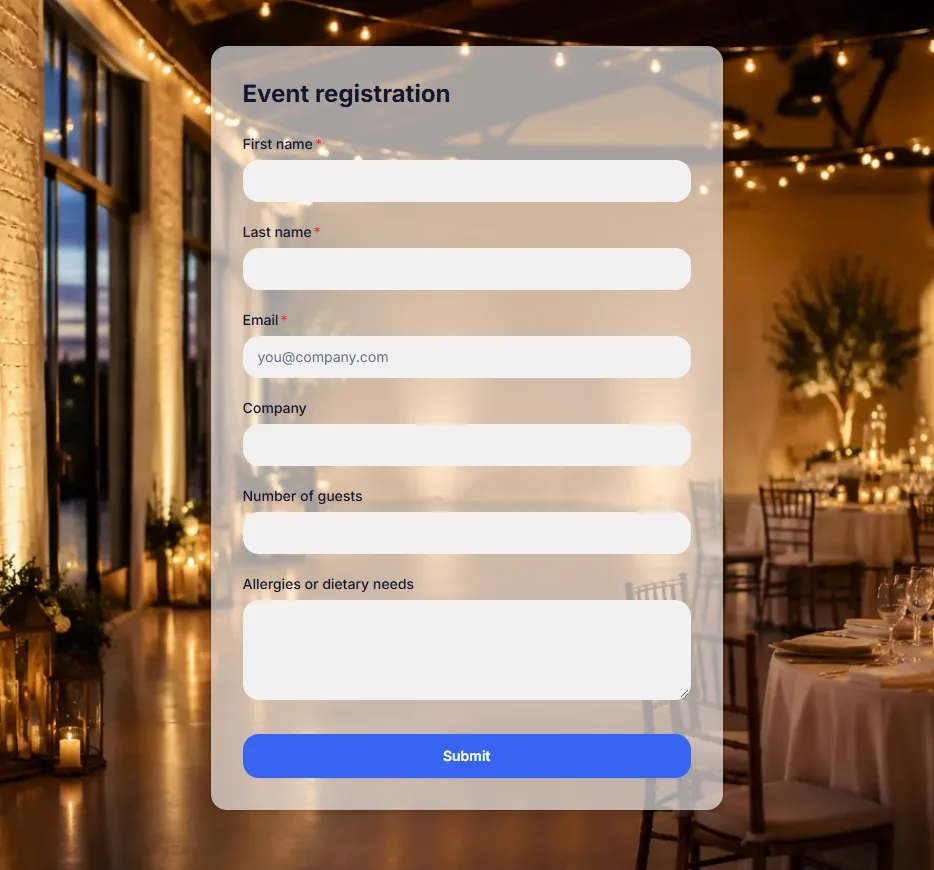
Forms people want to fill in.
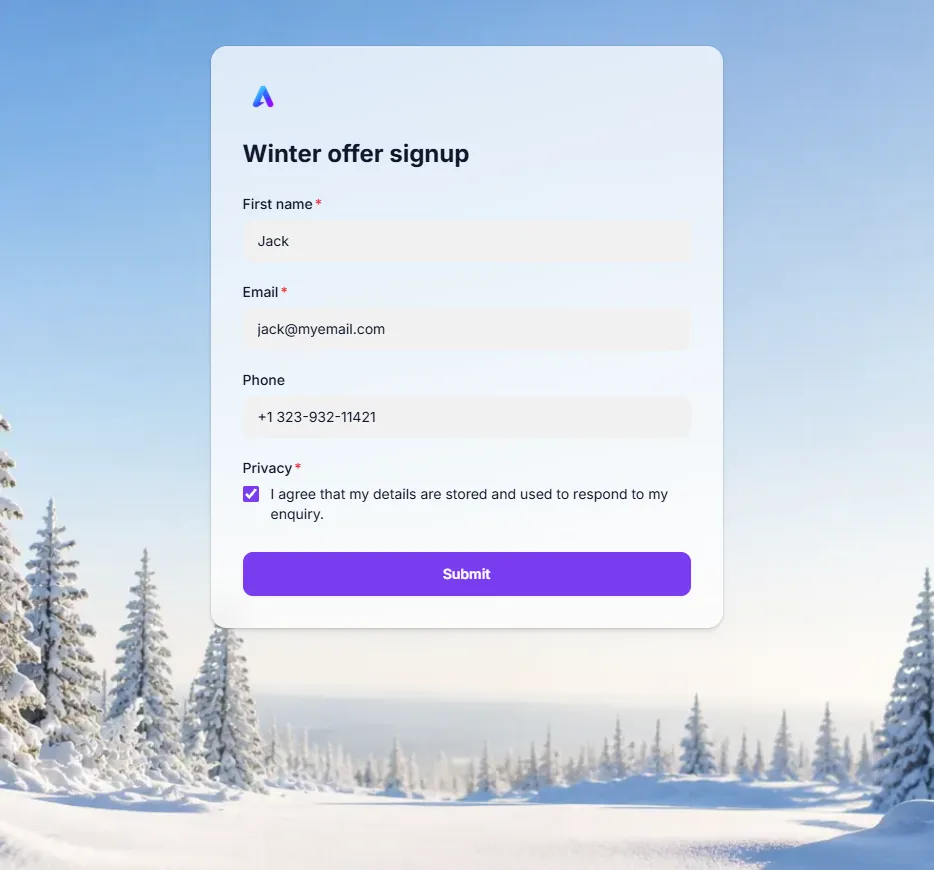
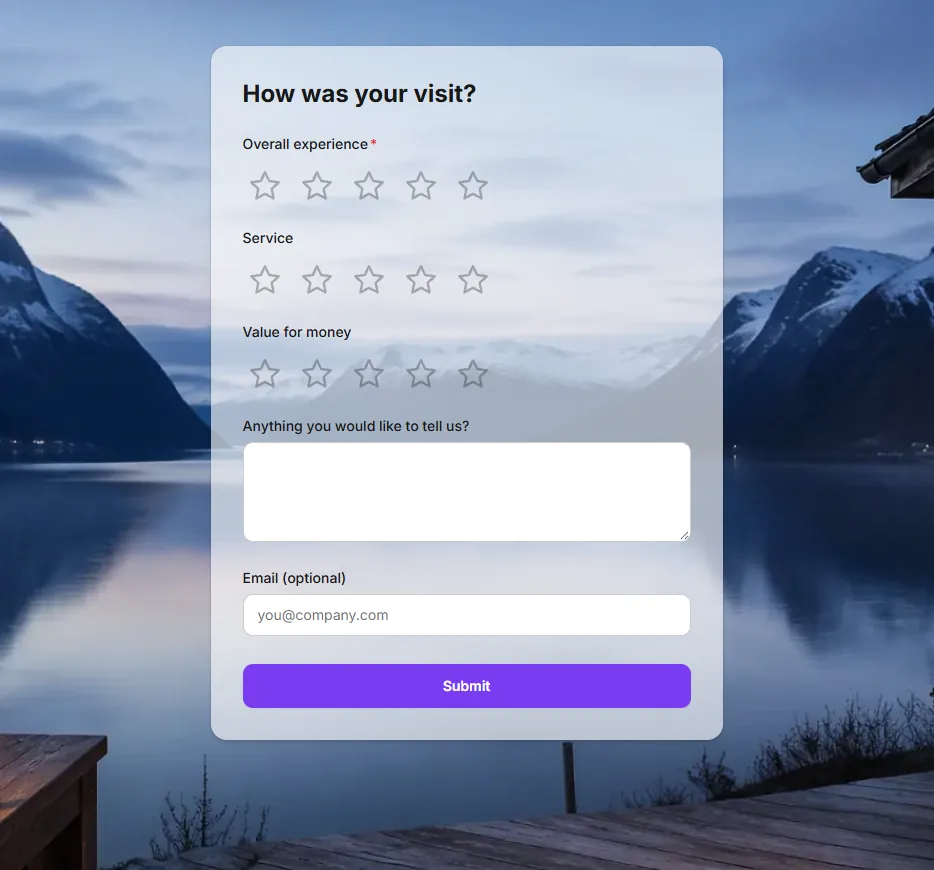
A full photo behind the form, your colours on the button and a card that sits just right. Every example below was made in Advanza from a template, in a few minutes.
Winter offer signup Event registration Visit review 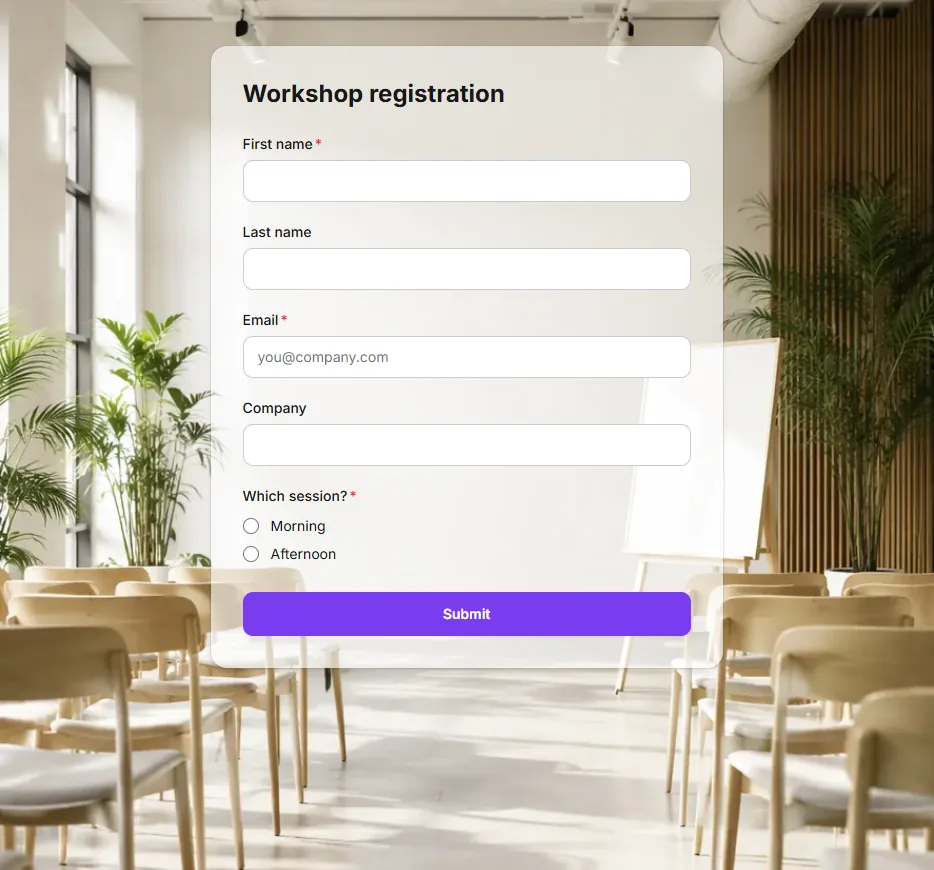
Workshop registration
Each template comes with its questions, its look and a thank-you message. Change any of it.
Beautiful by default. Yours in a click.
Start from a look, or apply your brand and the form takes your logo, colour and font. Put a photo behind it, choose how the card sits on it, and see it on a computer and a phone before anyone else does.
- Ready-made looks, including Christmas, Winter, Easter, Midsummer, Black Friday and Autumn
- Background photo, colour or gradient, with a solid, see-through or frosted card
- A card in the middle, or the form beside an image with your own text
Ask only what matters, when it matters.
Add the questions you need, from a phone number to a rating or a file upload. Rules show a question only when an earlier answer calls for it, so every visitor gets a short form that fits them.
- Ratings as stars, smileys or numbers
- Questions that appear depending on an earlier answer
- Business-email-only fields, an “Other” choice with free text, hidden fields
Describe it. AI builds the form.
Say what the form is for and who it is for. AI drafts the questions, labels and thank-you message in the language you choose, ready for you to adjust. Or pick one of the templates and change what you like.
- Contact, newsletter, event, demo, feedback and support forms
- Short, medium or detailed
- Written in any of seven languages
Every answer becomes a contact.
When someone answers, Advanza adds them to your contacts or updates the person you already know. Choose their stage, their lead status and the group they join, and the answer appears on their timeline.
- People are matched by their email address, so nobody is added twice
- Answers fill in empty fields and never overwrite what you have
- People who unsubscribed stay unsubscribed
The next step happens by itself.
Start a workflow when someone answers: send a confirmation, alert your team to a low rating, or ask happy customers for a review. Templates suggest the follow-ups that fit, and nothing runs until you turn it on.
- Suggested follow-ups set up as drafts
- Branch on the answer, such as a low rating or an urgent request
- Change the steps, or build your own in Workflows
Live in seconds, wherever your audience is.
Every form gets its own link to share in emails and social posts, or on your website. Add it to an Advanza landing page, get an email for each new answer, and see every response in one place.
- Forms work on phones as well as computers
- Email alerts to you, a colleague or every admin
- Search responses and export them as CSV
From a form to a customer.
Create a form
Pick a template, describe it to AI or start from scratch, then make it yours.
Capture a response
Share the link or put it on a landing page. Answers arrive straight away.
Grow your CRM
Each person becomes a contact, with the right stage and group.
Automate follow-ups
A workflow confirms, alerts your team or asks for a review.
A form is only the start.
Good to know.
Which plans include forms?
Forms are included from Starter, together with landing pages, and the number of forms grows with your plan. Workflows that follow up on an answer are included from Pro. Drafting a form with AI uses your plan’s AI credits.
Where can I use my form?
Every form has its own link, which you can share in emails, social posts or on your website. You can also add it to an Advanza landing page, where it can take the page’s look or keep its own.
What happens when someone answers?
The answer is always kept with the form. You decide whether people are added to your contacts, only matched to contacts you already have, or not put in contacts at all. You can also be notified by email and start a workflow.
Can I collect consent and files safely?
Yes. Templates can add a privacy consent that visitors tick before sending, and people who unsubscribed stay unsubscribed. Uploaded files are stored privately for your team, and images are re-saved to remove hidden data such as location.
What if I reach my contact limit?
Answers are still kept with the form, and you are told by email. New people are no longer added to your contacts until you make room or move to a plan with more contacts.
Big ideas.
Less busywork.
Bring your marketing together with Advanza.
Start free Free plan · No card required