 advanza
Know your customers. Reach the right ones.
Manage contacts, companies, leads and segments. Build targeted campaigns from your customer data.
Free plan · No card required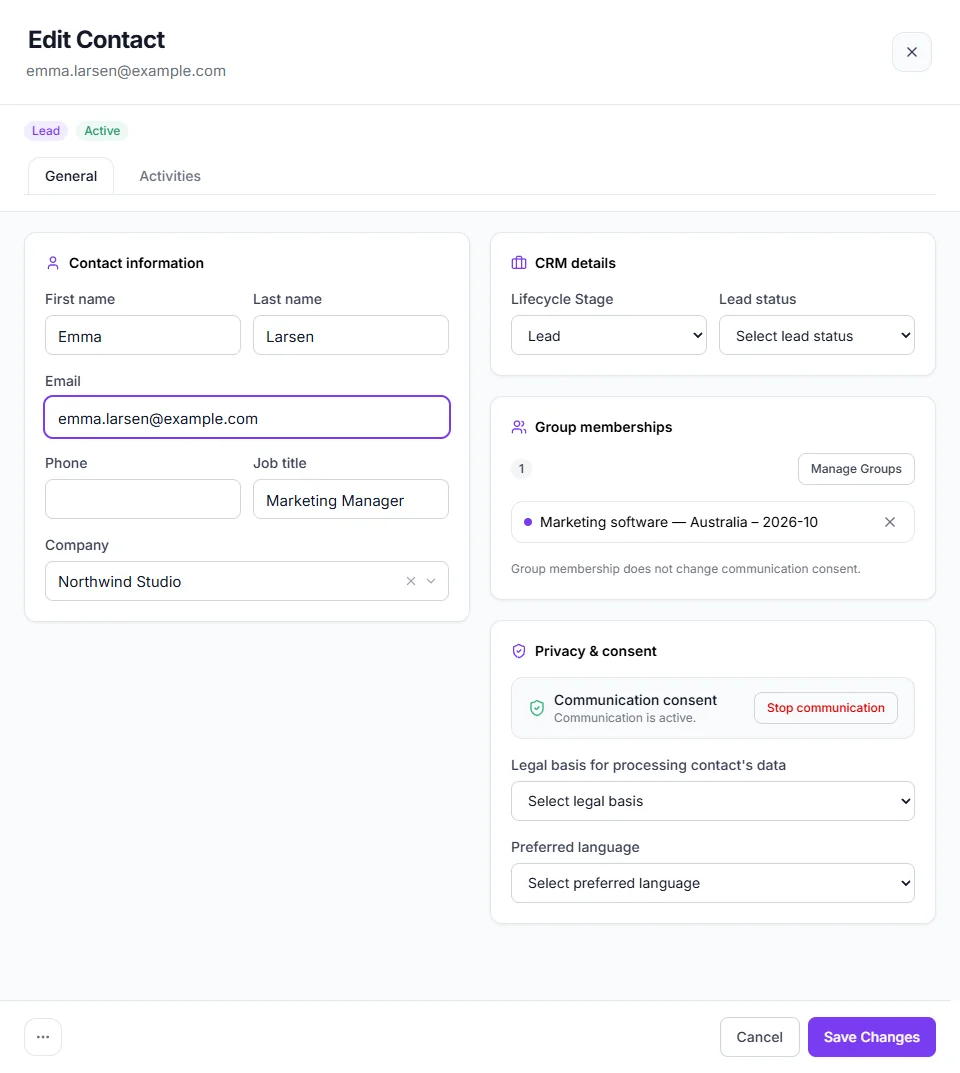
The whole customer on one record.
Stop piecing people together from inboxes and spreadsheets. Contacts sit with their company, along with their stage, score, groups and consent, so anyone on the team can pick up where the last person left off.
- Import contacts from a CSV or Excel file
- Lifecycle stage, lead status and lead score on every contact
- Consent and legal basis kept with the person they belong to
See what is moving, and what needs a push.
Run your sales on a board you can drag. Pipeline value and a weighted forecast keep the numbers honest, and risk signals point to the deals that have gone quiet before they go cold.
Included with Business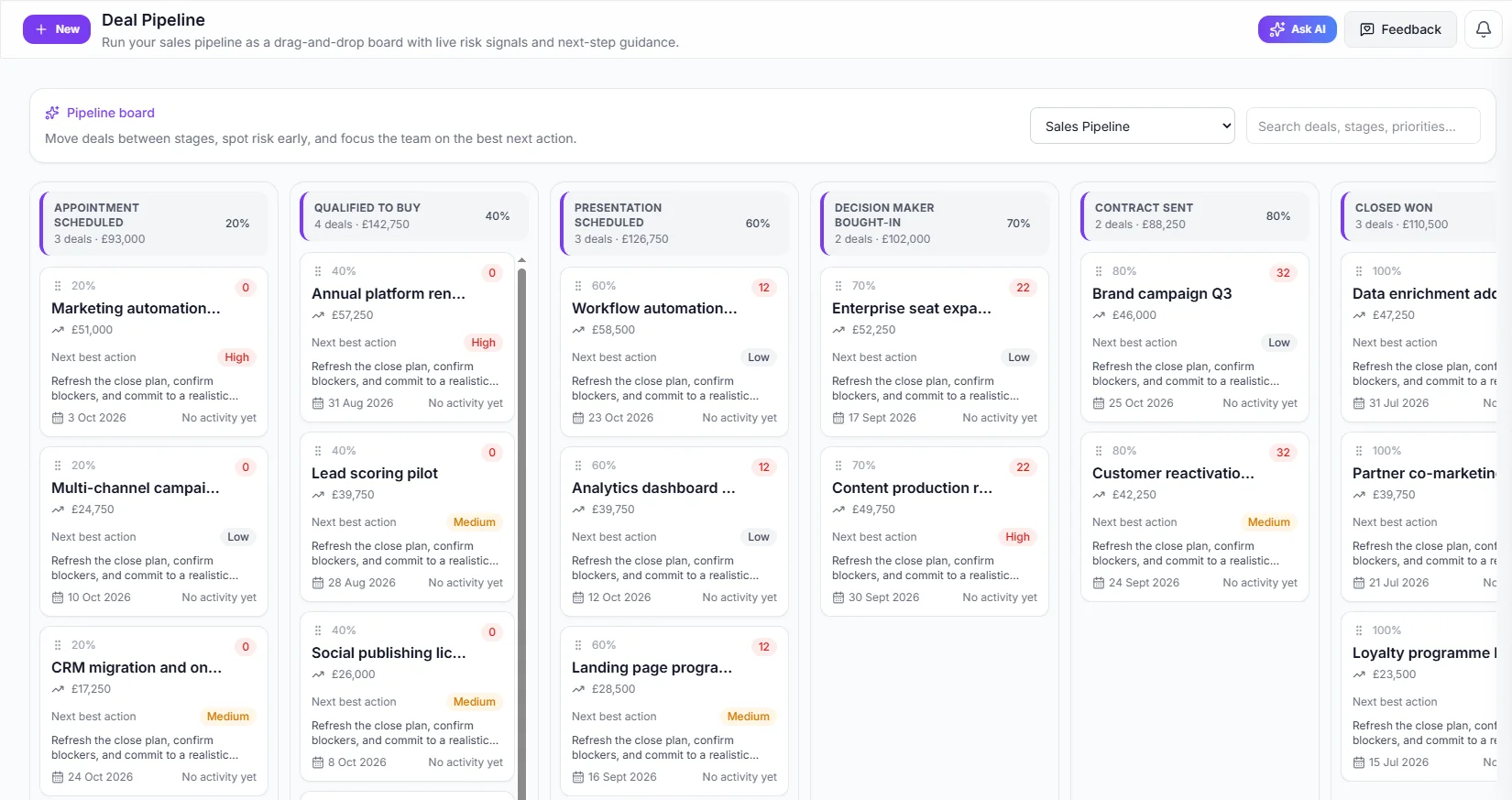
- Each stage shows its deals, its value and its probability.
- Every deal suggests a next best action, with its priority.
- Drag a deal to the next stage when it moves.
Say who you mean. Advanza builds the list.
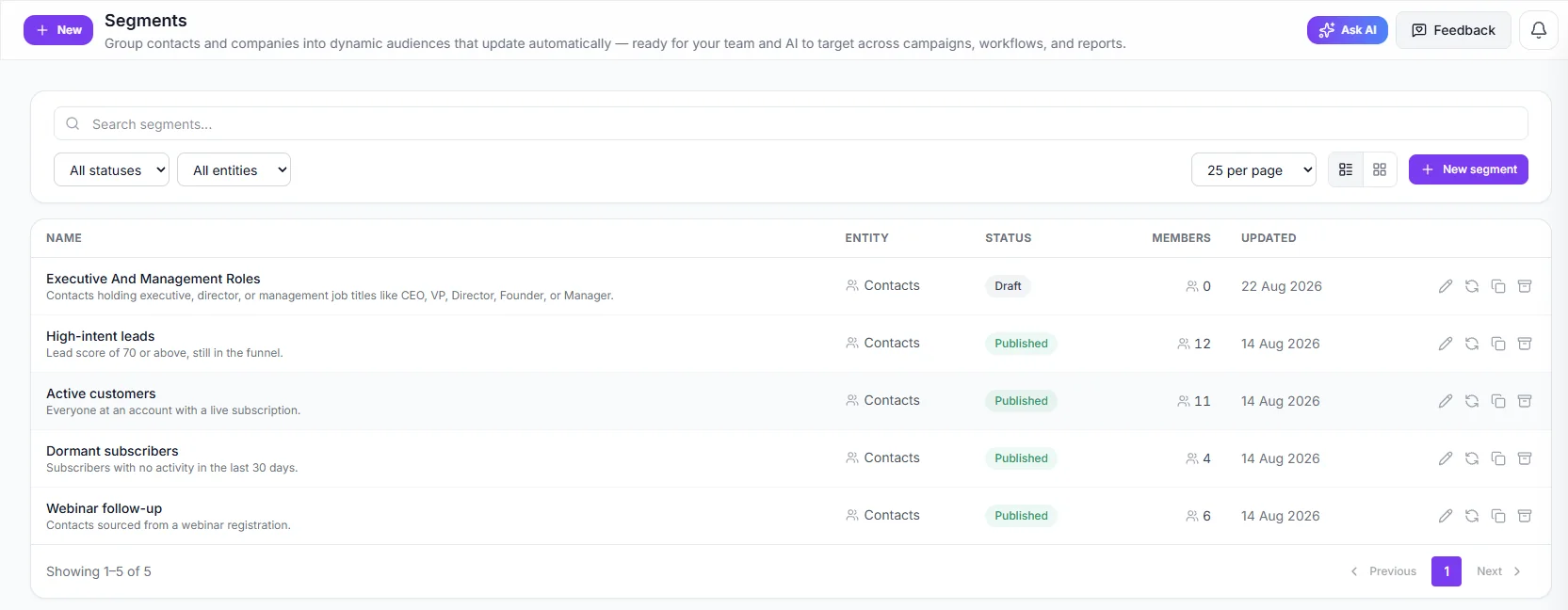
Describe an audience in your own words, or set the rules yourself. Segments stay up to date as your data changes, so the list is right on the day you send.
- Preview who matches before you use it
- Segments update by themselves as contacts change
- Use them as the audience for emails and campaigns
Find new leads while you get on with the day.
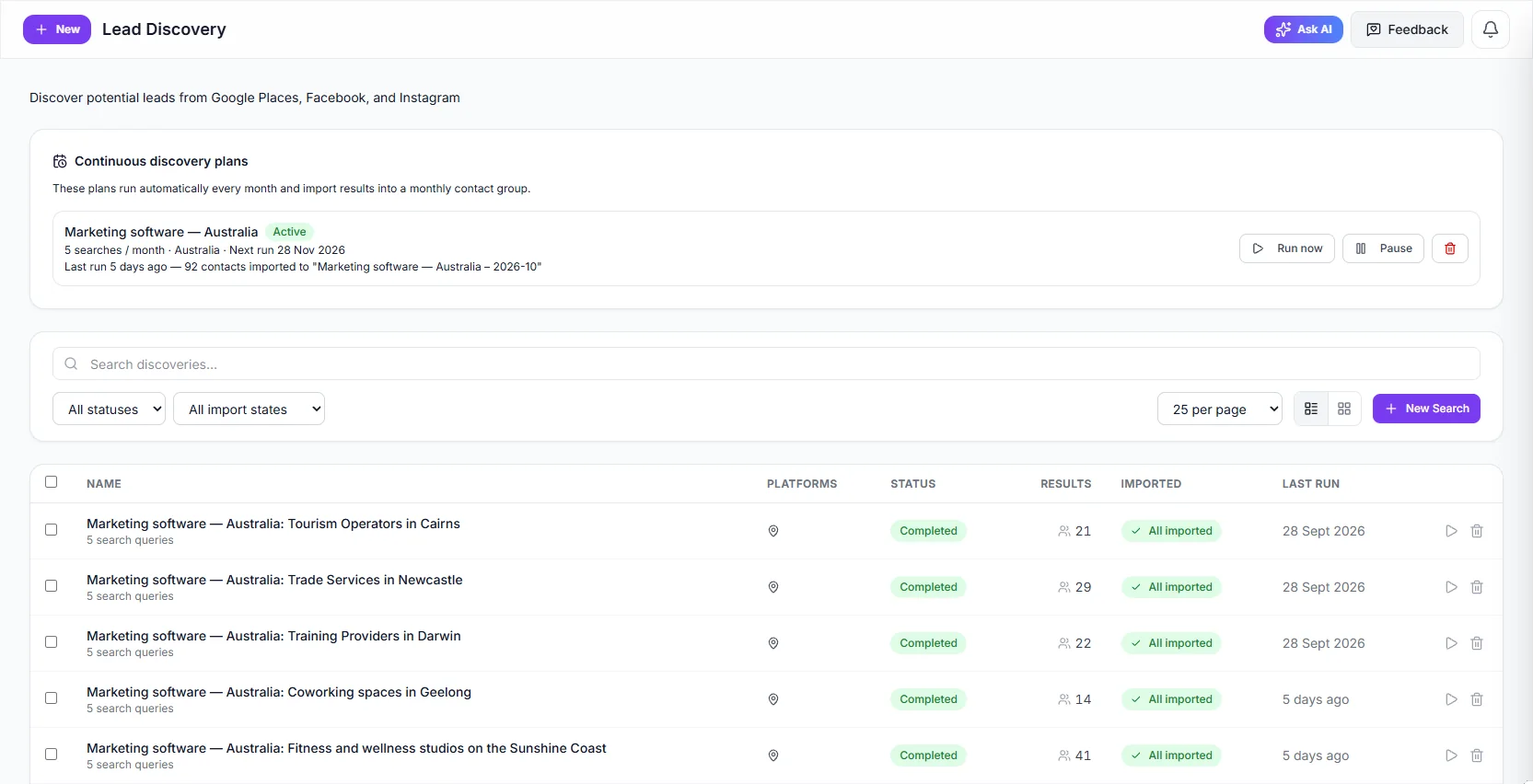
Tell Advanza who you are looking for and where. It searches, and you bring the results into your CRM. Set up a plan and the search runs every month, with new leads landing in their own contact group.
- Search Google Places, Facebook and Instagram
- Monthly plans that run by themselves
- Enrich a company to fill in its details and contacts
Work with your CRM from Claude or ChatGPT.
Connect Advanza and ask in plain language: who should I follow up, which deals have gone quiet, add these leads. The assistant works with your real records, and you stay in charge of what it does.
- Search, add and update contacts, companies and deals
- Deleting, merging and sending wait for your approval
- Every change is logged, with who asked for it
New leads go straight to work.
Your CRM is connected to the rest of your marketing, so nothing needs exporting. Someone fills in a form, and they are ready for your next campaign.
- Forms and landing pages feed your contact list
- Segments pick up new contacts by themselves
- The same contacts receive your emails, with no list to upload
Up and running in three steps.
Bring your contacts in
Import a file, or let forms and Lead Discovery fill the list.
Find the right people
Sort them into groups and segments that match how you sell.
Follow through
Reach them with campaigns and move your deals forward.
A CRM is better connected to your marketing.
Good to know.
What is included in each plan?
Contacts and companies are on every plan: up to 500 contacts on Free and 2,500 on Starter. Pro has 10,000 and adds segments, custom fields and Lead Discovery. Business has 100,000 and adds deals, pipelines and activities.
Can I bring my existing contacts?
Yes. Upload a CSV or Excel file and map its columns to contact fields. If your plan has custom fields, they can be imported too.
How do segments work?
A segment is a saved set of rules, such as lead score and lifecycle stage. Write what you want in your own words and Advanza builds the rules, or set them yourself. Members update as your data changes.
Can I email the leads I find?
That depends on the rules where you and your leads are, so check them first. Finding a lead does not give you consent. Each contact has a consent status and a legal basis, and you can stop communication with one click.
Can AI change my records without asking?
It acts on what you ask it to do. Adding and updating records happens straight away, and every change is logged. Deleting and merging need your approval, and sending needs your own click. Workspaces that want more can require approval for every change.
Big ideas.
Less busywork.
Bring your marketing together with Advanza.
Start free Free plan · No card required