Audience Segmentation
Dynamic audiences, built with AI in plain English.

Advanza Segmentation lets your team group contacts and companies into living audiences that update themselves — ready to power every campaign, workflow and report from one shared library.

Segment builder

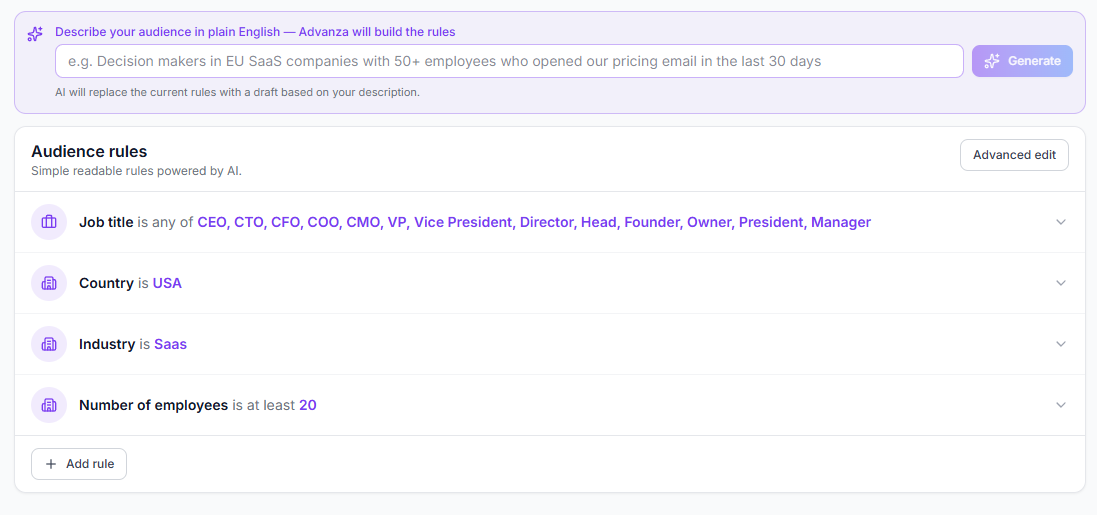
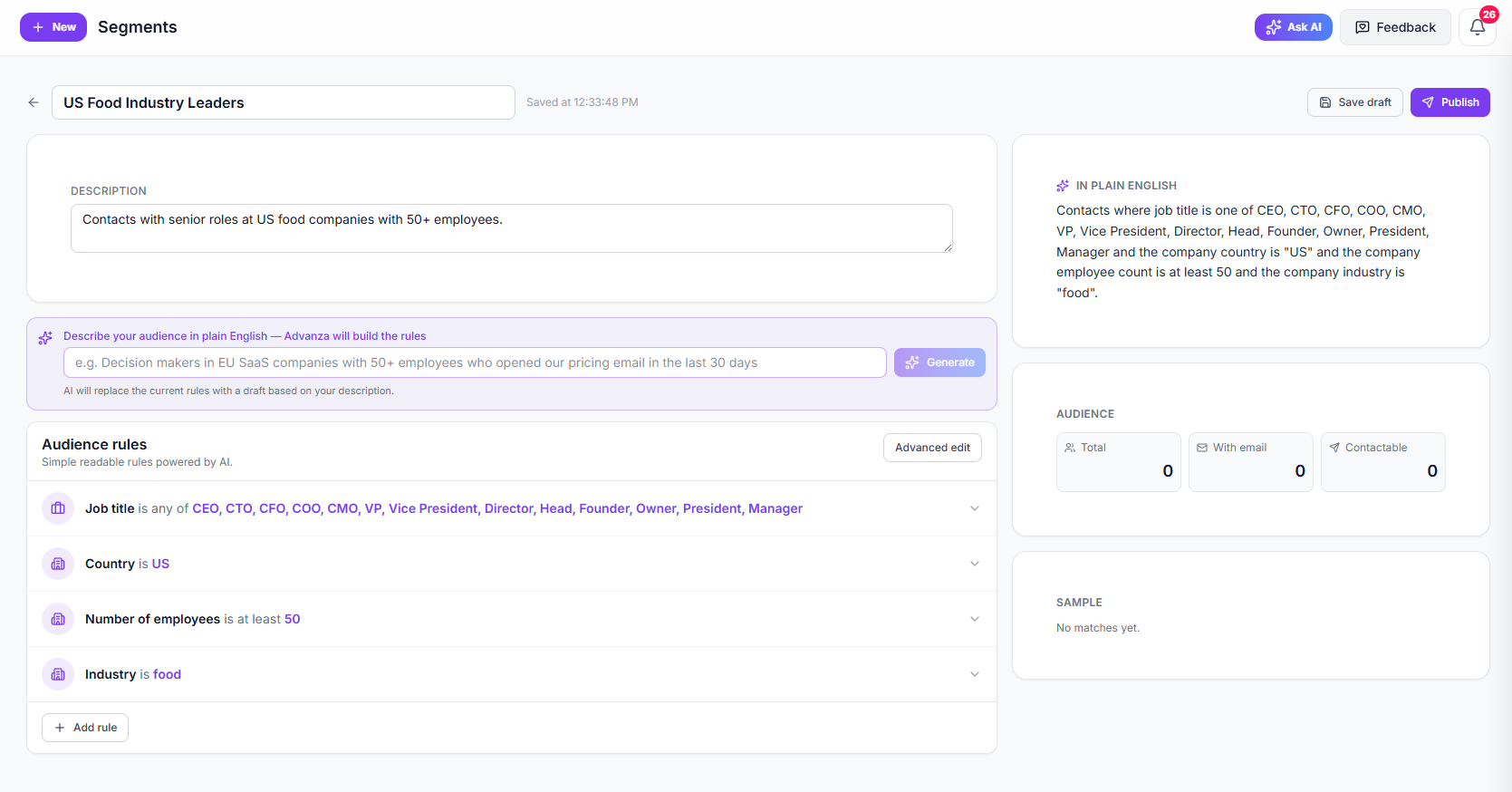
Describe an audience in plain English and Advanza generates a structured set of rules you can review, refine and publish.

Why Segmentation

Audiences your team and your AI can actually act on

Stop exporting static lists. Build dynamic audiences once, keep them current, and reuse them everywhere campaigns run.

AI
Plain-English to rules

Describe your audience, get the rules

Tell Advanza who you want to reach in plain English and the AI assembles the matching segment rules for you.

Live
Auto-updating membership

Always-on dynamic audiences

Segments stay live. As contacts and companies change, members are added and removed automatically — no manual list pulls.

2
Entity types covered

Contacts and companies

Segment people, accounts or both — using lifecycle stage, deal context, engagement, custom fields and more.

1
Source of truth

One audience, every channel

Use the same segment in email campaigns, social posting, automation workflows and analytics — without rebuilding it.

How it works

From a sentence to a published audience

Go from a description of who you want to reach, to a published, reusable segment in minutes.

  1. 01

    Describe the audience

    Type a plain-English brief — for example, decision makers in EU SaaS companies who opened your pricing email in the last 30 days.

  2. 02

    Refine the rules

    Review the generated rules in a readable view, or switch to advanced mode to nest groups with ALL, ANY or NONE logic.

  3. 03

    Publish the segment

    Save as draft to iterate, then publish when ready. Segments calculate member counts so you know the audience size before you send.

  4. 04

    Target across the platform

    Use the segment as the audience for an email campaign, a social campaign, an automated workflow, or a focused analytics view.

Segment library
What's inside

Everything you need to segment a modern marketing database

Powerful enough for advanced operators, simple enough for the rest of the team to use every day.

AI rule builder

Describe the audience you want and Advanza generates the matching filter rules — explained in plain English.

Readable and advanced modes

Edit segments visually as a readable rule list, or drop into advanced mode to nest groups with ALL, ANY and NONE logic.

Rich field catalogue

Filter on contact and company attributes, lifecycle stage, custom fields, engagement signals, dates and numeric ranges.

Contact segments

Build people-level audiences using job role, ownership, lifecycle stage, activity and any custom contact field.

Company segments

Build account-level audiences using company size, industry, deal context and custom company fields.

Auto-updating membership

Membership recalculates as your data changes, with on-demand recalculation for campaigns that need a fresh count right now.

Drafts, publishing and archive

Iterate safely with draft segments, publish when ready, duplicate to fork an audience, and archive segments you no longer need.

Use anywhere

Plug segments into email campaigns, social posting, automation workflows and analytics views from one shared library.

Connected to your campaigns

One segment, every campaign surface

Segments built in Advanza power email sends, social posting, automated workflows, lead routing and reporting — so the audience you publish once is the audience your team and your AI keep working from.

Build your first dynamic audience

Start a 7-day free trial and let AI turn a sentence into a published, reusable segment in minutes.